 Hanzi guides
Alipay in English, all the way down
Alipay lets foreigners link an international card and switch the app's menus to English. That covers the main screens. It doesn't cover what's inside: mini programs (bike rental, metro, utilities, tickets), merchant pages, bills, refunds and customer-service messages are written in Chinese.
Step 1: switch Alipay's own menus to English
In Alipay, go to Me → Settings → General → Language and choose English. This changes Alipay's own buttons and menus.
Step 2: the parts that stay in Chinese
- Mini programs: shared bikes, metro QR codes, utilities, train and attraction tickets, hospitals.
- Merchant pages and coupons.
- Bills, receipts and refund notices.
- Verification and security messages, which you really want to understand.
Hanzi · read any Alipay screen in English with one tap, right on top of the app. On-device, nothing uploaded.

Step 3: translate any Alipay screen in place
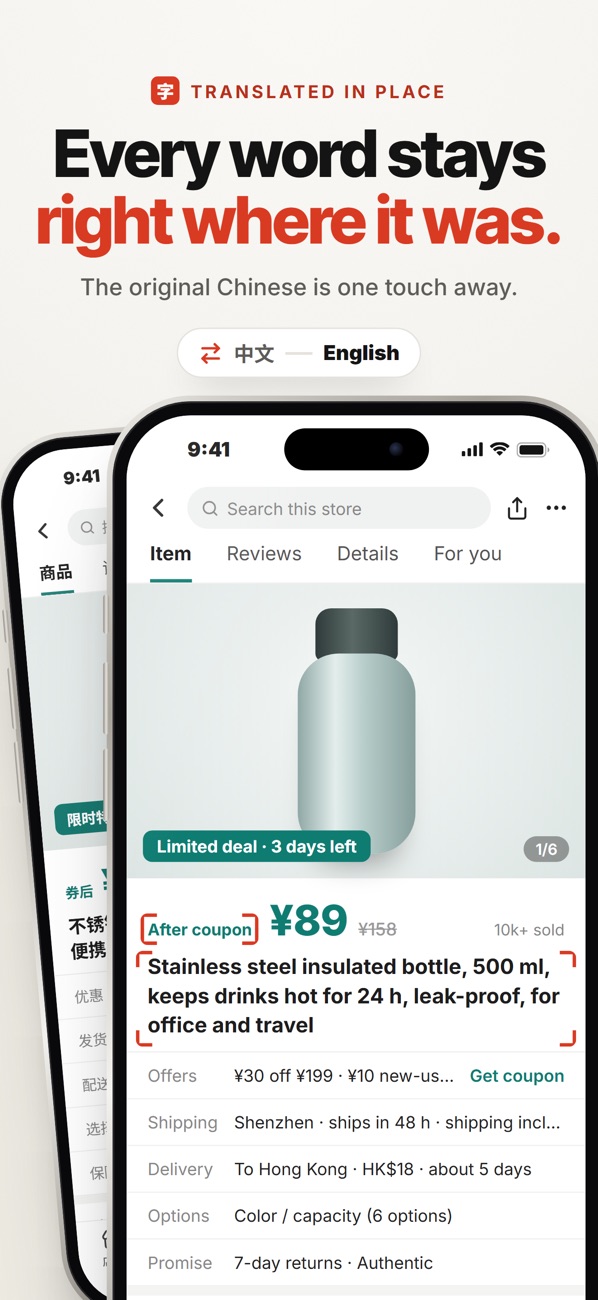
With Hanzi, when a mini program or bill is in Chinese, tap once (the floating on-screen button, or Back Tap) and that exact screen comes back in English, drawn on top of Alipay. It reads text inside images too, and it runs on the phone, so nothing from your payment app is uploaded.
Words you'll see often
- 付款 / 收款: pay / receive
- 账单: bill
- 退款: refund
- 实名认证: identity verification
- 余额: balance
Hanzi · read any Alipay screen in English with one tap, right on top of the app. On-device, nothing uploaded.